Help Contents || Previous || Next
6. Keeping Web dB Server Running Smoothly
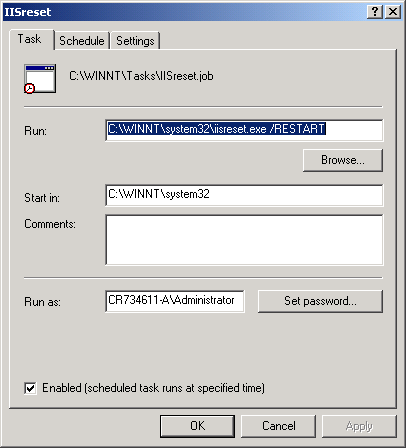
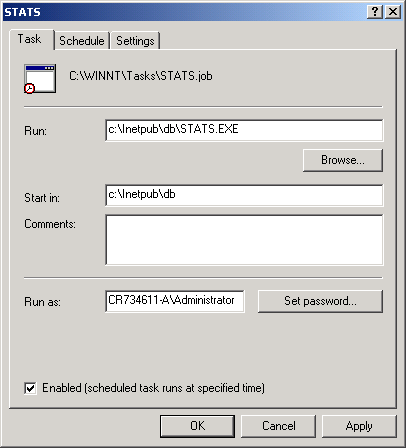
To make sure Web dB Server is running as smoothly as possible we recommend that you restart IIS at least once a day (for example at night). You can do it by scheduling a task in Windows Task Scheduler (Control Panel/Scheduled Tasks) as shown below. In order to make sure the statistics work in Administrator program you should schedule STATS.EXE program (in your c:\Inetpub\db folder) to run at 12:01 am on the first day of every month. If you also want to check that your users do not exceed the allocated disk space schedule MB_CHECK.EXE program (in your c:\Inetpub\db folder) to run every night. Make sure you are logged in as Administrator when scheduling these tasks.